
On this page...
Purpose of Acquia Optimize
Acquia Optimize, formerly known as Monsido, is a cloud-based tool for website checkups. It checks your agency's website for issues that could make it hard for people to find and use information. These issues include:
- Misspelled words: Typos can make your website seem unprofessional and lower visitors' trust.
- Broken links: Links that don’t work frustrate users. They can stop users from finding the information they need.
- Accessibility errors: Websites should be accessible to everyone, including people with disabilities. Acquia Optimize helps identify these errors.
- SEO issues: SEO (Search Engine Optimization) improves your website's ranking in search results. Acquia Optimize can identify areas for improvement.
Fixing these issues will help make your website more user-friendly and trustworthy.
Back to topHow does Acquia Optimize work?
Acquia Optimize not only uses Google for its optimization - it blends Google’s data with other sources and other search engines to give a more comprehensive view of your website.
Websites can be crawled by Google Search, Microsoft Bing, Yahoo! Search, and other search engines.
Search engines prioritize optimized and accessible websites. Addressing all your Quality Assurance and Accessibility issues in Acquia Optimize can help your website rank higher in search engine results and drive more authentic traffic to your site.
Back to topServices included by Acquia Optimize
Acquia Optimize provides several features to help you maintain your website:
- Weekly Reports: Get regular reports on broken links, spelling errors, and other issues.
- On-Demand Scanning: Scan your website whenever needed to identify any new issues.
- Statistics: See which pages are not getting many visitors, helping you prioritize website updates.
- Accessibility Checks: Identify accessibility issues that may prevent people with disabilities from using your website, and make sure your website is ADA compliant.
- Heartbeat: Continuously monitor your website for any problems.
- Readability / Reading Level Analysis: Understand the complexity of your website content and ensure it's easily understood by a wide audience. This can be found at the bottom of the Quality Assurance tab. If you'd like to work on lowering your content reading level and have access to Microsoft CoPilot, you can copy and paste content text into CoPilot and ask it to simplify your content. Be sure you're using detailed prompts and do a quick review before using to make sure the final version is not only clear but accurate.
- Policies: Develop guidelines for consistent website content by tracking outdated information or terminology.
- Easy Integration with Drupal: If your website uses Drupal, Acquia Optimize integrates seamlessly for easier management of website changes.
Accessibility
ADA (Americans with Disabilities Act) compliance improves your site’s structure, usability, and user experience - all of which are indirect but powerful factors that search engines like Google use to evaluate and rank pages.
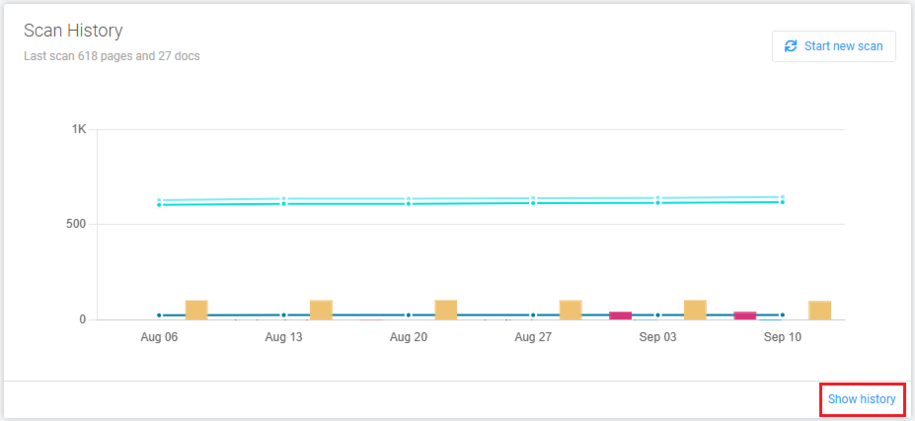
With automated weekly and on-demand scans, Acquia’s website audit tool tests your site against ADA standards, reports on errors, and gives recommendations on how to address them. You can track and prove your web accessibility compliance progress via reports in the History Center located on your Dashboard.
Optimization scores measure how well your site adheres to specific best practices for performance, accessibility, and SEO.
Why do I need to address my accessibility errors, warnings, and items to review?
Improving your site to raise those scores and comply with the ADA standard creates a better user experience and cleaner code, which helps your actual search visibility.
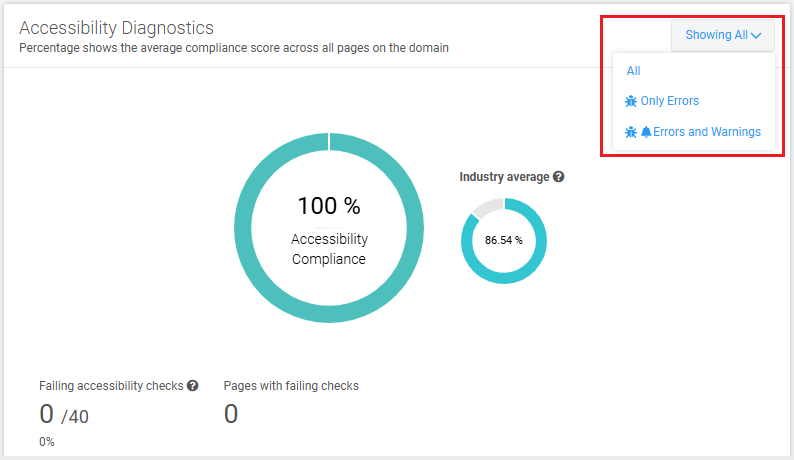
Addressing errors and warnings reduces exposure to accessibility-related complaints or litigation. You can choose to view only errors, or you can show both errors and warnings on the Accessibility tab in Aquia Optimize.
The definition of the error categories in Aquia Optimize Web Governance:
- Error
The issue is in direct conflict with the ADA standard and needs to be fixed. - Warning
The issue is most likely in conflict with the ADA standard, do a manual review and fix the issue. - Review
The issue cannot be programmatically determined as an error or warning and requires human review. Do a manual review of the issue to determine if any fix can be done.
Common accessibility warnings and how to address them
- Is a cognitive function test required for authentication?
Cognitive function test means remembering a password, solving a CAPTCHA or puzzle, or transcribing a one‑time code. If you're not using any type of test, you can ignore this warning. - Are all focusable elements at least partially visible when focused?
This means that all focusable elements like buttons, form fields, links, and list items must remain partially visible in the user’s view when they are focused. The criterion does not require full visibility for WCAG 2.2 AA.
Keyboard‑only users and those using assistive technology rely on the focus indicator to know where they are on a page. If a focused element is completely hidden, they cannot see where they are or what they can do next, which can make the site feel unresponsive. Unless you have buttons or dropdowns on a webpage that can hide other content, you can ignore this warning. - Does functionality requiring dragging movements have a proper alternative?
All functionality that uses a dragging movement for operation can be achieved by a single pointer without dragging, unless dragging is essential or the functionality is determined by the user agent and not modified by the author.
A single pointer means one point of contact at a time (mouse, finger, stylus) - the alternative must not require press‑hold‑move‑release. This is separate from keyboard accessibility. Drupal does not have this feature available for website visitors. You can ignore this warning. - Are p elements used as headers?
This means you may have created a paragraph header and used bold instead of assigning it as an H2 or H3 heading. You can view the pages listed as needing review and fix the problem or decide it's not a problem. You can then mark that warning as Mark as fixed or Ignore. - Is the keyboard focus visible at all times?
All interactive elements must display a visible indicator, such as a border or background color change, when they receive keyboard focus. This ensures that focused elements are easily distinguishable from surrounding content. You can ignore this warning. Do links on top of images have minimum contrast?
This check ensures that when link text is over an image, background gradient, or backdrop filter, it remains in sufficient contrast with the background. You can ignore this warning.Does text on top of images have minimum contrast?
This accessibility check states that website owners must provide sufficient contrast between text and the background when the text is positioned over images, gradient background color, or a backdrop filter. You can ignore this warning.Are interactive elements big enough to target easily?
When pointer targets such as buttons or links are too small, they become difficult to accurately activate with devices like a mouse, stylus, or touch input. This can lead to frequent errors, such as selection of the wrong element or difficulty to activate the intended control. You can ignore this warning.- Is the image alternative text descriptive enough?
If your image alt text is one word or a vague description like screenshot, you may see this warning. Remember to make your alt text descriptive enough for anyone using a screen reader to understand the context. - Are all visual lists correctly coded as lists?
This means don't type numbers, letters, or dashes before your list items. Use the Drupal toolbar to choose a bulleted or numbered list option to create your list.
Ignored warnings can be restored or unignored at any time.
Back to top