On this page...
How different author roles work
There are multiple types of authors on the DX Platform. Your access to the site is managed through OKTA authentication. All authors are explicitly approved and assigned by their agency.
Our general approach to the site
- The system considers all users with a login to the site to be authors.
- A Writer creates content for review.
- An Editor reviews and edits content and media library items.
- A Publisher writes, reviews, edits, and publishes content.
- An Agency Manager may do all editing, publishing, site settings, and taxonomy structure.
- Any changes an Editor makes to existing pages need to be published by a Publisher / Agency Manager.
- All users can move items to the trash. However, only Agency Managers can permanently purge files from the trash. This means those files will no longer be accessible.
Who can edit a Landing page layout
The Layout section for Landing pages is unique. These pages appear in key areas like homepages. Only the Publisher and Agency Manager roles can edit them.
Back to topHow to fix a missing Edit button
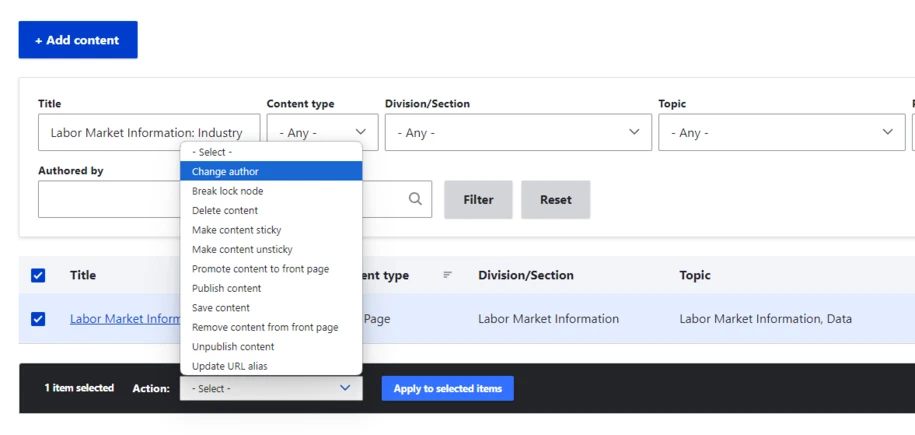
If an author or user is removed from the site and you are unable to edit the content, change the author name on that page. This way another team member can edit or delete the content they created. If you don’t do this, you may see an error message when you try to delete it from the content library.
Review your website Content Manager roles
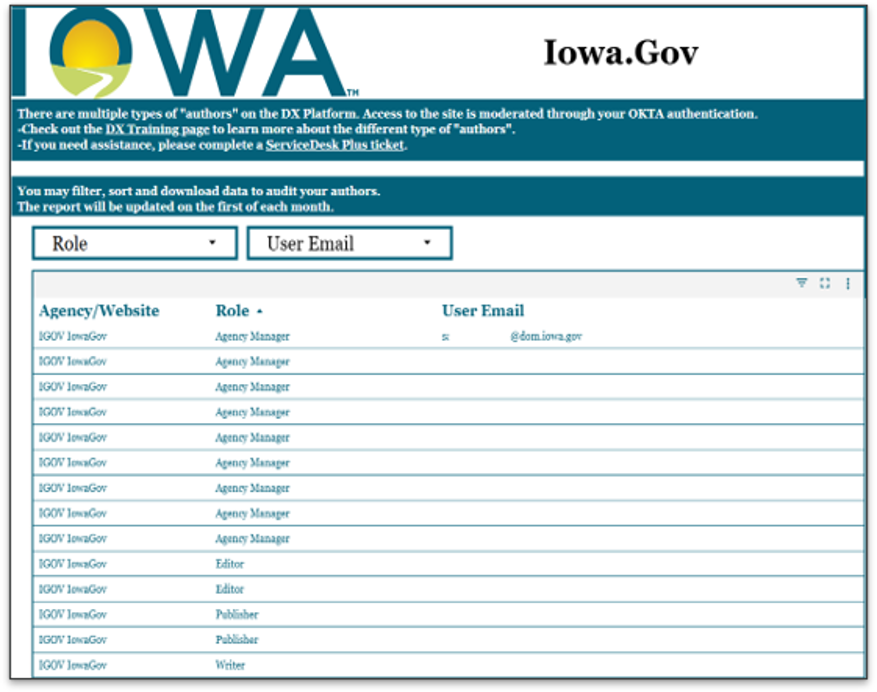
It’s a good idea to periodically review who has access to your Drupal website. The DX team generates a monthly Okta Report containing your website Content Manager roles, a report that lists all roles and the email addresses assigned to them for access to your website in Drupal.
If you need the link to your site’s report, please submit a ServiceDesk Plus ticket and the DX team will be happy to provide it. The link remains the same each month, so once you have it, you can easily check access at any time.