
You can now add a Microsoft Outlook calendar to a web page in much the same way as you would add a Google calendar. Users manage events in Outlook and use the Publish Calendar feature to get a public HTML link.
Create a new shared calendar
- Sign into the web version of Outlook at https://outlook.com.
- Select the Calendar icon on the left side of the screen.
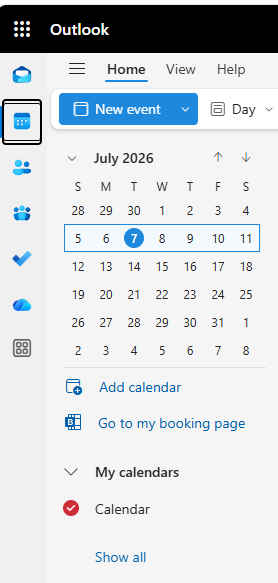
- Select Add calendar
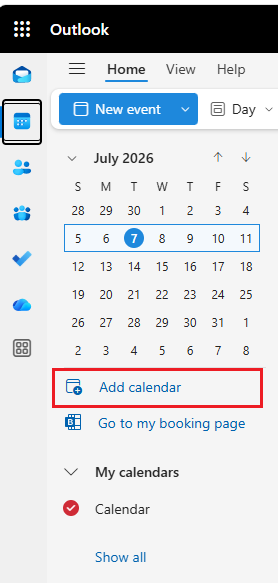
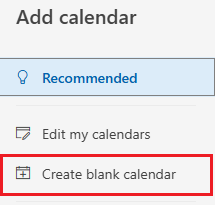
Select Create blank calendar on the left side of the screen.
- Enter a name for your calendar and choose a color.
- Select Save.
- To edit the calendar appearance, time zones, and more, select Calendar under the Settings menu using the Settings gear icon in the upper right of your screen.
Get your calendar link
To get the public link to embed on your website:
- Go to your calendar. Select the Settings gear icon in the upper right of your screen. Go to Calendar > Shared calendars.
- Under Publish a Calendar, select the calendar you'd like to embed on your website. Choose Can view all details in the Permissions dropdown.

Select Publish to generate your HTML link.
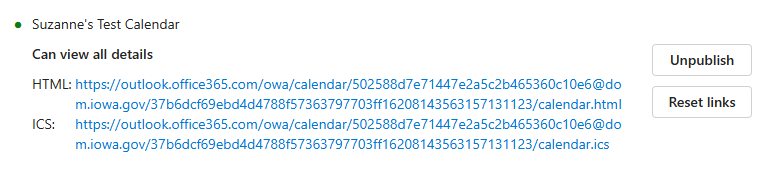
- Select your HTML link by selecting it and a Copy window will appear. Copy the link.
Embedding your calendar
- Open the web page in edit mode where you want to place the calendar.
- Select the Outlook calendar icon.

- When the pop-up appears, create a name for your calendar in Drupal in the Create a Microsoft Calendar box.
- Paste the HTML code you copied from the Remote Media URL link in Outlook.
- Select Save.
- In the next pop-up box, you'll see the title you created for your calendar. Select Next. Select the alignment of the calendar.
- Select Embed.
How to add your new calendar to your personal Outlook desktop calendar
- Go to your Calendar in Outlook.
- Under My Calendars you should see your new calendar listed. Select the check box next to your new calendar.
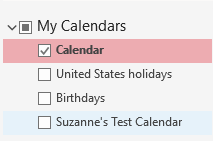
- Now you can manage the new calendar from your desktop Outlook.