
On this page...
Images can help make a website more engaging, but they can also be a distraction. Poor quality images detract from the trustworthiness your website. Use high quality images on your site and choose photography reflective of Iowa constituents and communities.
Image best practices
- File types. The Media Library accepts a number of different file types and URL embeds like png, jpg, jpeg just to name a few.
- You can learn more about what file types are accepted by reading the DX Media Files Type article.
- Optimize. Image files must be less than 100 MB. Follow image size guidelines. Large images increase page load time and may negatively impact the user experience on your site.
- Prioritize text. The text content of your page is your first priority. Images are supplemental. Content must make sense and be usable without images.
Alt text and accessibility. All images require descriptive alternative text. Alt text is read by screen readers or displayed on the screen when an image is not available. Images of text are not accessible. Use plain text instead. Data, tables, and charts should have full text explanations of their content by using the caption field. Never use images that scroll, blink, or flash.
According to WCAG 2.2, don't use the word decorative as alt text. Writing the literal word forces screen readers to announce the word decorative out loud, which adds noise instead of hiding the image. Either write a description of the image or use two quotation marks with no space in between.
Updating an image alt text tag
An easy way to update or fix an image alt text if it is getting flagged for not having a descriptive alt tag added is by going to the Media Library and searching for the image. You can update the alt text within its edit page OR you can select the image within the edit body section of the content page where the image appears.
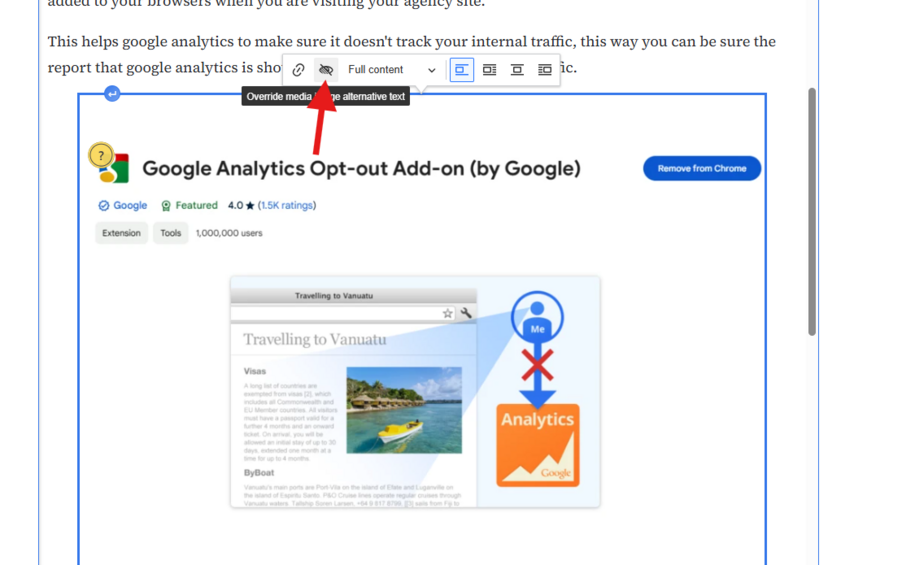
This will bring up a hover box where you can select the eye icon alt text button that opens up the alt text override. You can add your descriptive alt text.
Back to topCommon image sizes
Hero images should be no smaller than 1440 pixels wide. Ideally, to scale for retina displays, your images should be at least 2880 pixels wide.
Other images should be no smaller than 528 pixels wide.
You can upload images up to 100MB.
The system scales images appropriately for the device that people use when they visit your site. It may also crop images that are not the correct aspect ratio or dimension.
Images look better scaled down than scaled up. Size your images appropriately before you upload them.
Back to topImage ratio
Most images on the site are in a 4:3 ratio, or landscape orientation. That means for every four pixels of width there should be three pixels of height.
To calculate the image ratio:
- Take the height of your image and multiply it by 4/3 to compute the width; or
- Take the width of your image and multiply it by 3/4 to compute the height.
Images used as the feature on basic pages, promos, and visual link collections follow the 4:3 ratio.
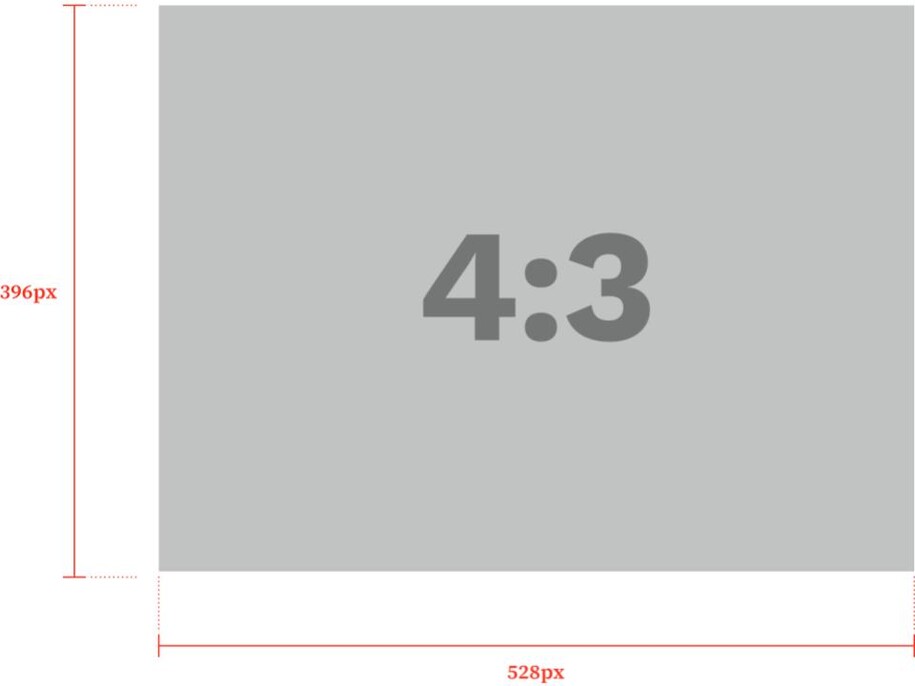
Image styles do's and don'ts
- Do. Use clear, natural looking photos. Images should feature a person, place, or thing that is relevant to your content.
- Don’t. Don’t use heavily edited images, or images with overlays or other filters. Avoid clip art and logos in featured image fields.

Learn more about how to add media items to your Media Library.
Back to top