
Purpose
You can embed a Qualtrics Survey on your website on a Basic page or a Landing page. This can provide more flexibility in placing surveys within the body of a page.
Create your Qualtrics Survey
- Create a survey project in Qualtrics.
- Before you can publish it, you will need to obtain governance approval.
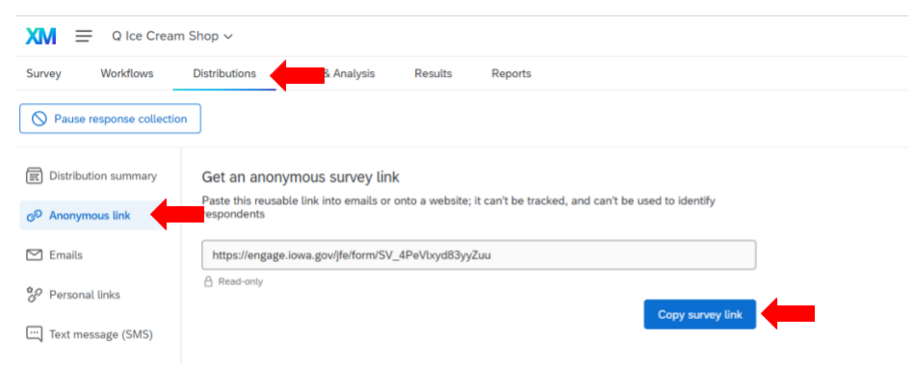
- Once you have received approval, go to the Distributions tab in your Qualtrics survey project.
- Select the 'Anonymous link' option and click the Copy survey link button to copy the survey link.
Add the Qualtrics Survey link to the Media Library
- Go to your Media Library.
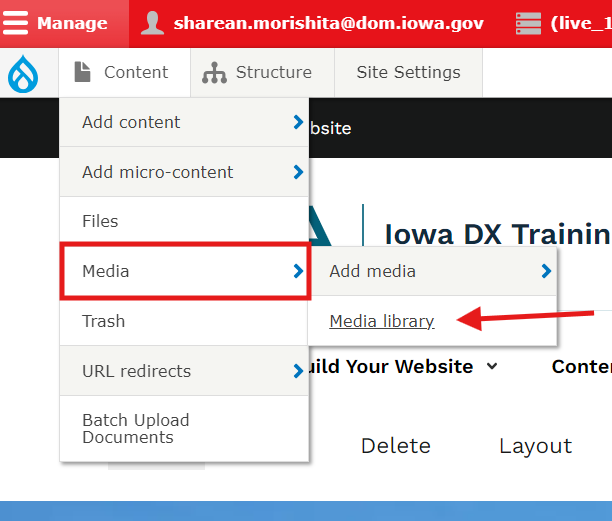
- Select Add Media.
- Select Qualtrics.
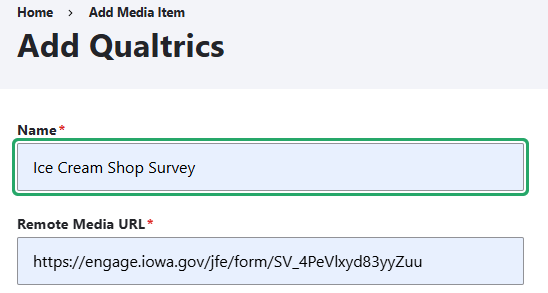
- Enter a meaningful title for your survey and enter the Qualtrics Survey link.
- Click Save.
Embedding on a Basic page
- Navigate to a Basic page and use the WYSIWYG body editor to embed your previously created Qualtrics Survey link from the Media Library.
- In the body section of your Basic page, select the Qualtrics XM icon.

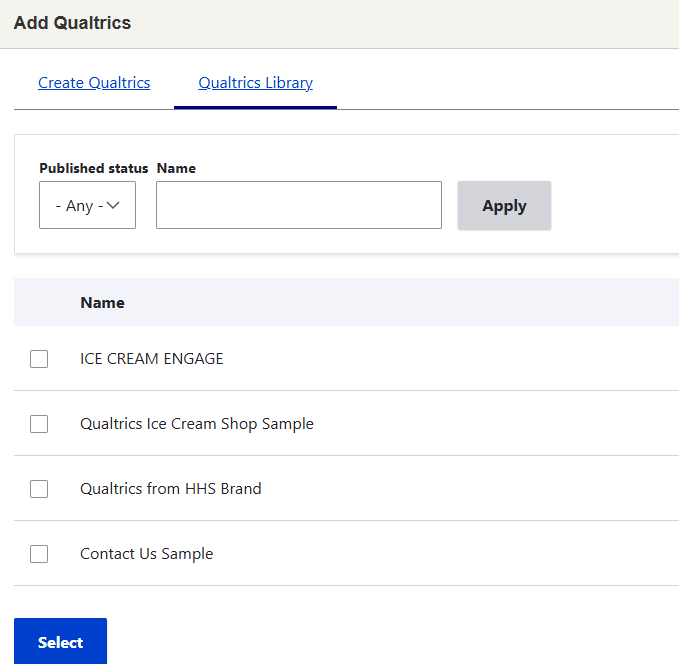
- You'll then see the Add Qualtrics dialog box. Choose the Qualtrics Library link.
- You'll see your Qualtrics surveys listed. Choose the one you'd like to embed and choose Select.
- You will then choose how to align the embed. Select your choice of None, Left, Center, or Right, and select the Embed button.
- The Basic page should now load that Qualtrics survey inside its body.
Embedding on a Landing page
- Go to a Landing page, or create your Landing page by entering a Title, Short Title, Summary, and Introduction.
- Save your Landing page.
- At the top of the Landing page, instead of choosing Edit, choose Layout.
- Scroll down and select Add section.
- On the left, you'll choose a background color for the new section that will contain your Qualtrics embed.
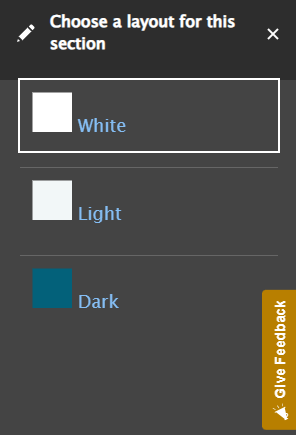
- Next, you'll be asked to choose an Administrative label. Choose a descriptive name for your new section. Select Add section.
- Select Add block.
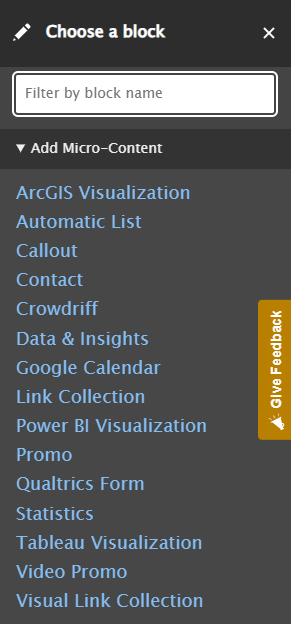
- Choose Qualtrics Form.
- Select Add Qualtrics.
- Select Qualtrics Library link to view your surveys and select the one you'd like to embed.
- Select Insert Block.
- The Landing page should now load your Qualtrics survey inside the layout.