
On this page...
Back to top
Back to top
Back to top
Back to top
Back to top
Why Theming Matters
The DX Steering Committee set guidelines so every agency survey looks consistent and meets accessibility requirements. Themes must match your agency's branding and the Iowa Brand standards, including colors, fonts, logos, and layout.
Back to topRequesting a New Theme
The list of approved DX themes covers most agency needs. See DX Platform Color Palettes for the full list.
If your agency has a unique need, your designated Theme Approver can request a new theme on your behalf. Submit a Qualtrics request through ServiceDesk Plus.
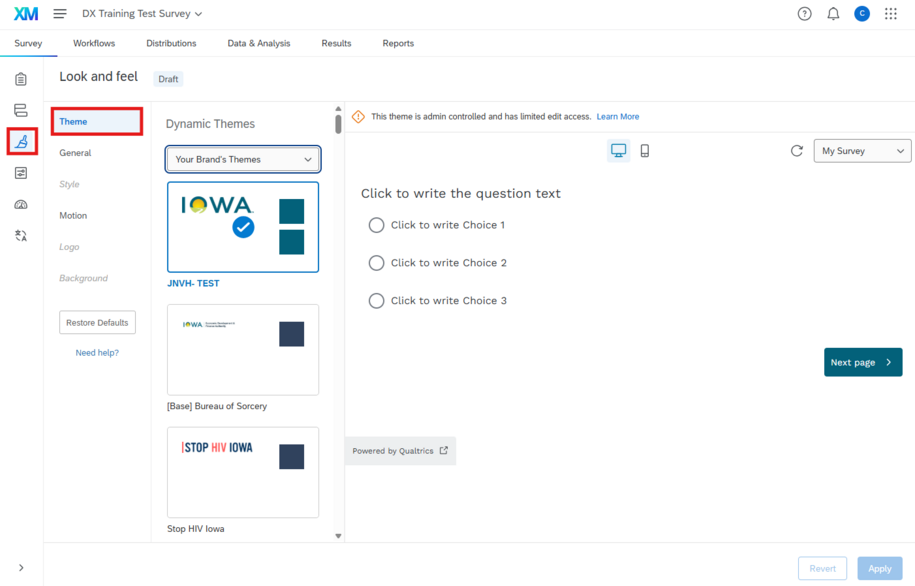
Back to topLook and Feel: Theme
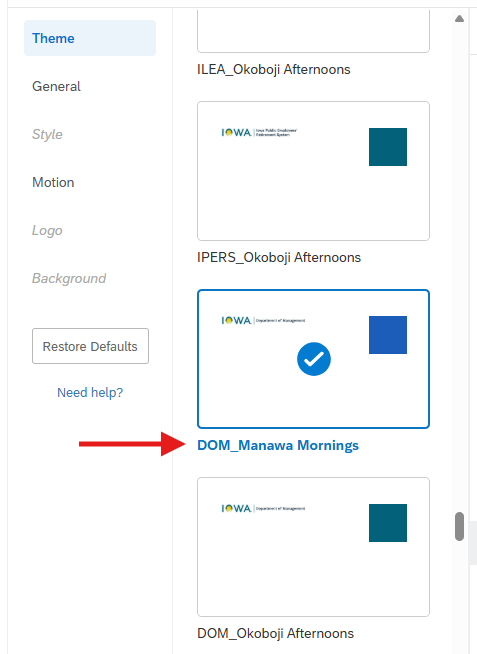
Select the appropriate theme:
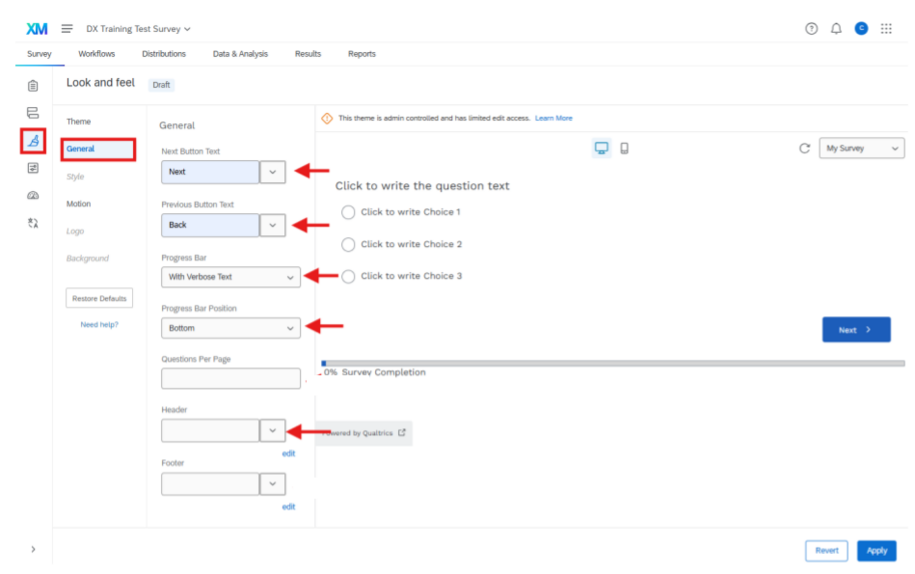
Qualtrics Look and Feel: General
- Next button text: Next
- Previous button text: Back
- Progress Bar: Use the verbose text ; generally recommended only for surveys with 30 or more questions.
- Progress bar position: Bottom
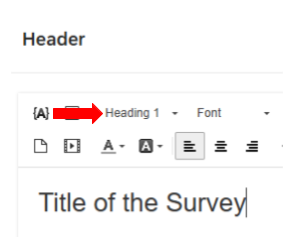
- Header: Click Edit, then enter a survey title using the Heading 1 style.
-
- Footer: Leave blank
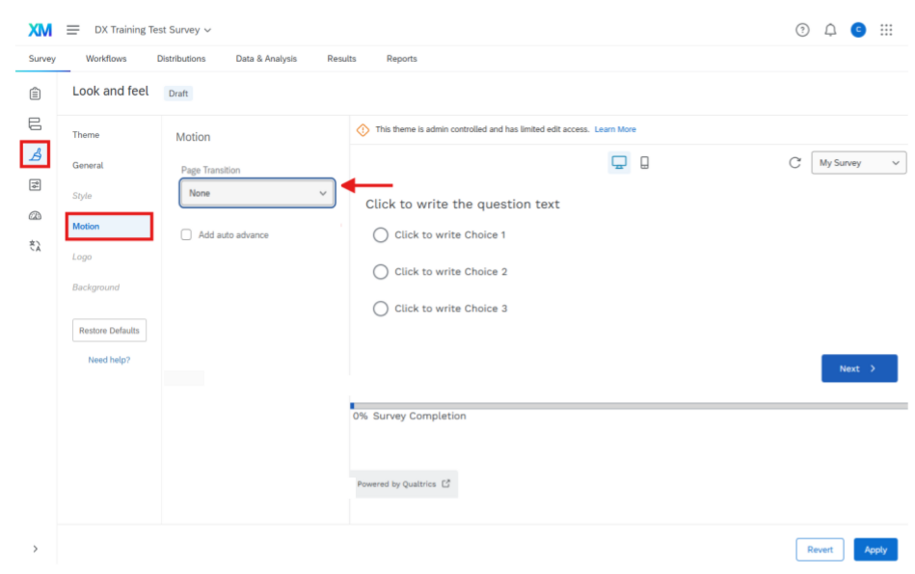
Qualtrics Look and Feel: Motion
- Page transition: None
- Uncheck auto advance
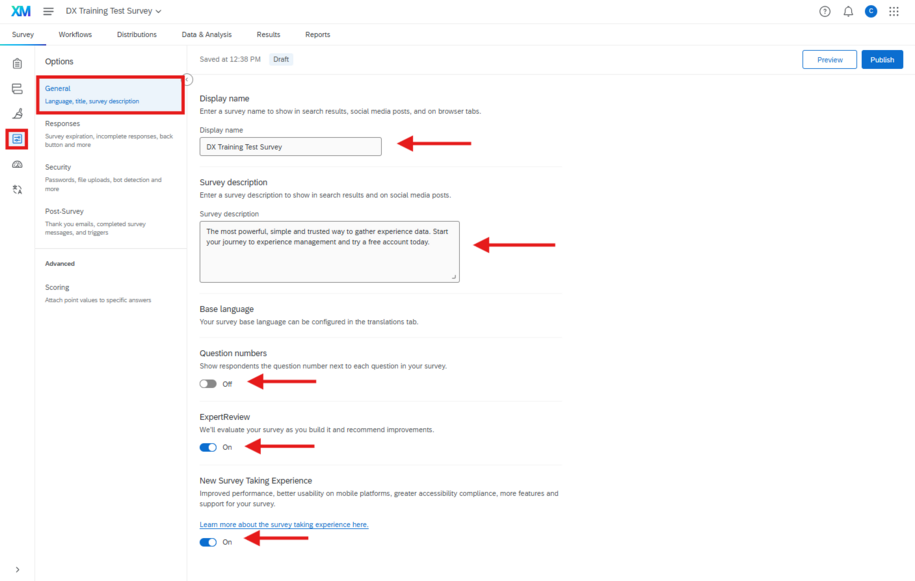
Survey Options: General
- Fill out the display name
- Fill out the survey description
- Question numbers: off
- Expert review: on
- New Survey Experience: on
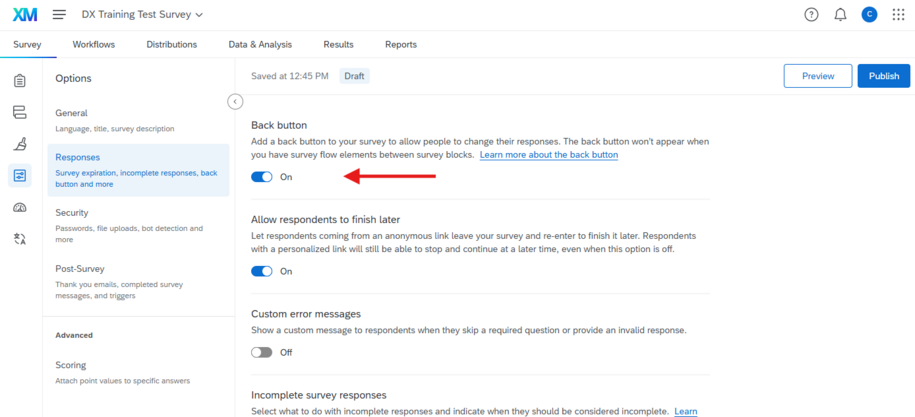
Survey Option: Responses
- Back button: on
- Note: Surveys by default don’t include a back button.
- Warning: In some cases, a back button won’t show on a page even if you have the setting selected in your survey options. This is caused by having elements between blocks in your survey flow. Any element (branch logic, embedded data, randomizer, web service, etc.) will disable the back button on the first page of the block that follows it.