Purpose
The Video Promo option is designed to provide the best video viewing experience and to highlight a video related to your content. Video Promos can only be placed on Landing pages.
Create a Video Promo
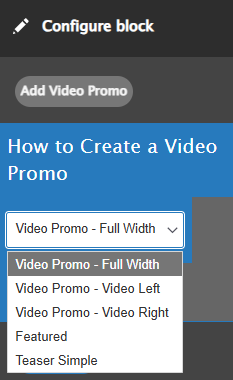
From the Content menu, select Add Microcontent, then Video Promo. First you'll create your Video Promo, then place it on your Landing page. Your Video Promo options are Full Width, Video Left, Video Right, Featured, and Teaser Simple. Fill out all the necessary information and save your Video Promo.
Create your Landing page
Create and save your Landing page. Now choose the Layout option in the Edit menu. You'll need to add a new Section and choose the color of the background. Now insert a new Block. Choose Video Promo from the available options. Add your previously created Video Promo and save. You can also add a link to another page within your Video Promo.